You are here: Categories / Analytics
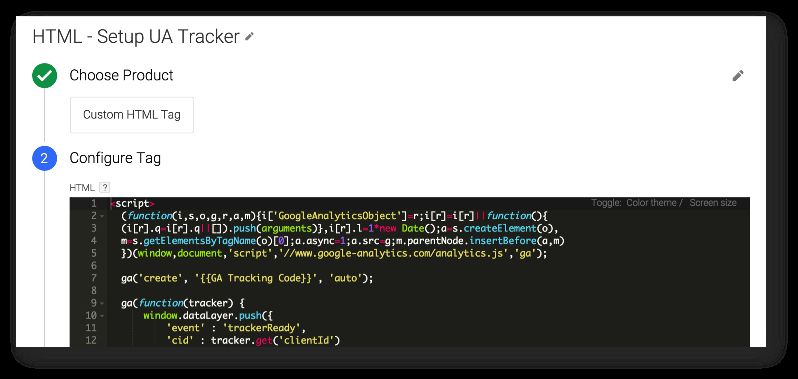
If you read my previous post on fetching the Client ID from the Universal Analytics tracker object with Google Tag Manager, you might have agreed with me that it sucks you can’t access the tracker object interface in real time using Google Tag Manager. This is because all of the set commands you add to a Universal Analytics tag template take place before the analytics.js is loaded and the tracker object is properly created.

Continue reading

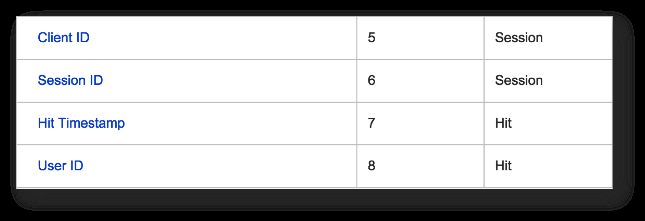
Since writing my rant about the schema conspiracy of web analytics platforms, I’ve been giving the whole idea of hit-level data collection a lot of thought. Sessionization is very heavily implemented in Google Analytics, which is understandable, but the regular Google Analytics API just doesn’t give you the kind of information you’d need, if you wanted to stitch hits together differently in your own backend. In fact, there are four distinct levels of aggregation that are not exposed via the API, even though I think they should:

Continue reading

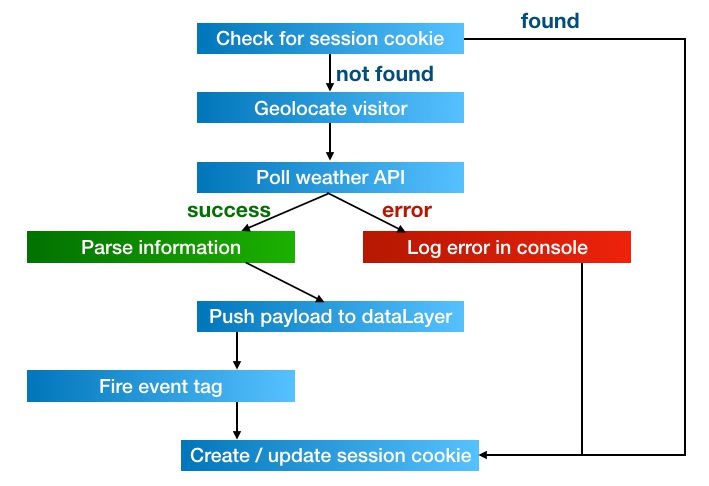
In 2013, I wrote a guide for Universal Analytics and Google Tag Manager on how to poll for weather conditions, and send this information to Google Analytics as a custom dimension of the session. The guide was intended as a technical introduction to Google Tag Manager, and I think it succeeded in that. However, GTM has changed a lot over the last 1.5 years, and I’ve made some improvements to the method along the way.

Continue reading

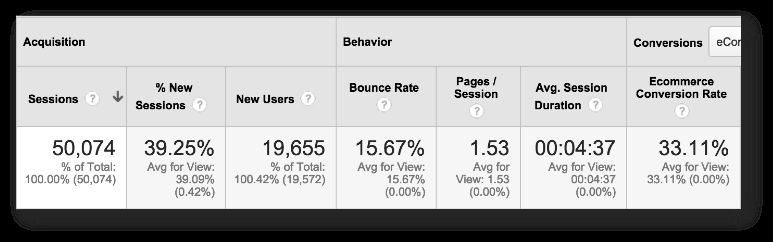
A schema is something that data processing platforms such as Google Analytics apply to the raw hit data coming in from the data source (usually a website). The most visible aspect of Google Analytics’ schema is how it groups, or stitches, the arbitrary, hit-level data coming in from the website into discrete sessions, and these are actually grouped under yet another aggregate bucket: users. But you already know this. You’re looking at metrics like Sessions, Bounce Rate, Conversion Rate, and you’re using them or variations of them as KPIs in your dashboards and whatnot.

Continue reading

Be honest, can you think of anything that’s more unfair than this: A new Google Tag Manager feature, published at 02:07 AM my time, and with an easter egg hunt involved?! Of course it was the infuriating Charles Farina who found the new feature and claimed the prize. Curses! (Just kidding Charles, you’re still awesome.) Anyway, there’s a new GTM feature in town, and oh boy, this time it’s a big’un!

Continue reading

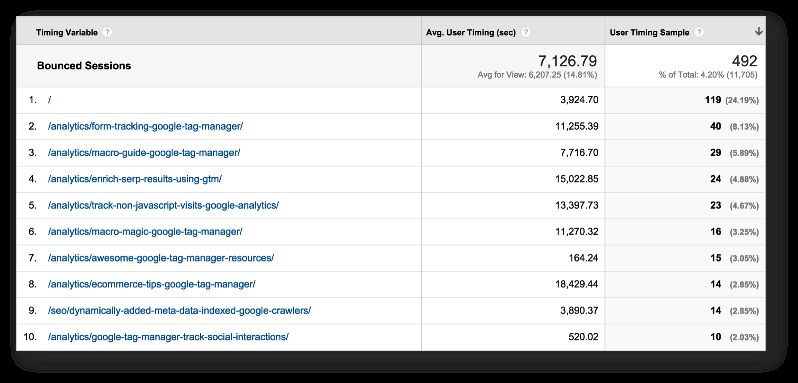
This nifty little solution will let you calculate the time spent on pages that are not tracked in Google Analytics by default. These include both bounced landing pages and exit pages. Bounced pages and exit pages lack the necessary subsequent pageview, which Google Analytics uses to calculate time-based metrics. Before you go on, read this excellent article by Yehoshua Coren: REAL Time On Page in Google Analytics Yehoshua gives a very nice use case for the technical solution I’m about to explore.

Continue reading

One of the big mysteries in browser-based data collection platforms like Google Analytics is what happens when the visitor is not being tracked. This is most obvious in cases where the user explicitly opts out of tracking, when the user does not have JavaScript active in their browser, in bounced sessions, and on exit pages. Opt-outing means that the user explicitly prohibits a website from tracking them. In some cases, it’s possible that opt-out is the default, and the user must explicitly opt-in to allow GA to record their visits.

Continue reading

Author's picture

Simo Ahava

Husband | Father | Analytics developer
simo (at) simoahava.com

Senior Data Advocate at Reaktor

Finland