Hello friends! Today I want to direct your attention to a dangerous setting found within the bowels of the Universal Analytics Tag template in Google Tag Manager. In fact, GTM itself highly discourages you from meddling with it: I actually agree with this warning. It should be …

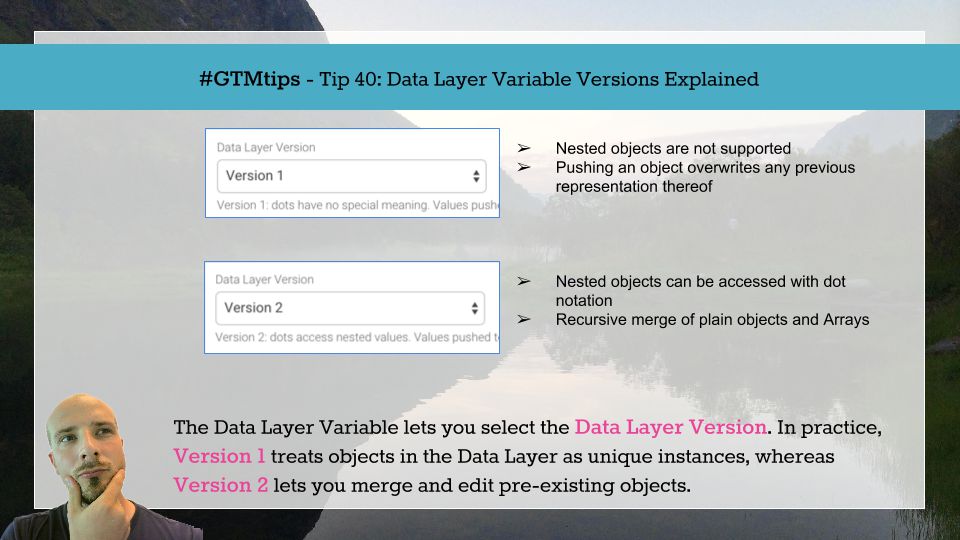
Google Tag Manager’s Data Layer is something I’ve touched upon in pretty much all of my articles. It’s such an integral part of what makes a tag management solution great and applicable to a host of business scenarios. I’ve also talked at length about the …

Welcome back my friends (to the show that never ends)! It’s been a couple of weeks since my last barrage of articles, and I think the time is ripe to do some testing! First things first, here’s a picture of me shovelling snow: And now back to the topic at hand. One of …

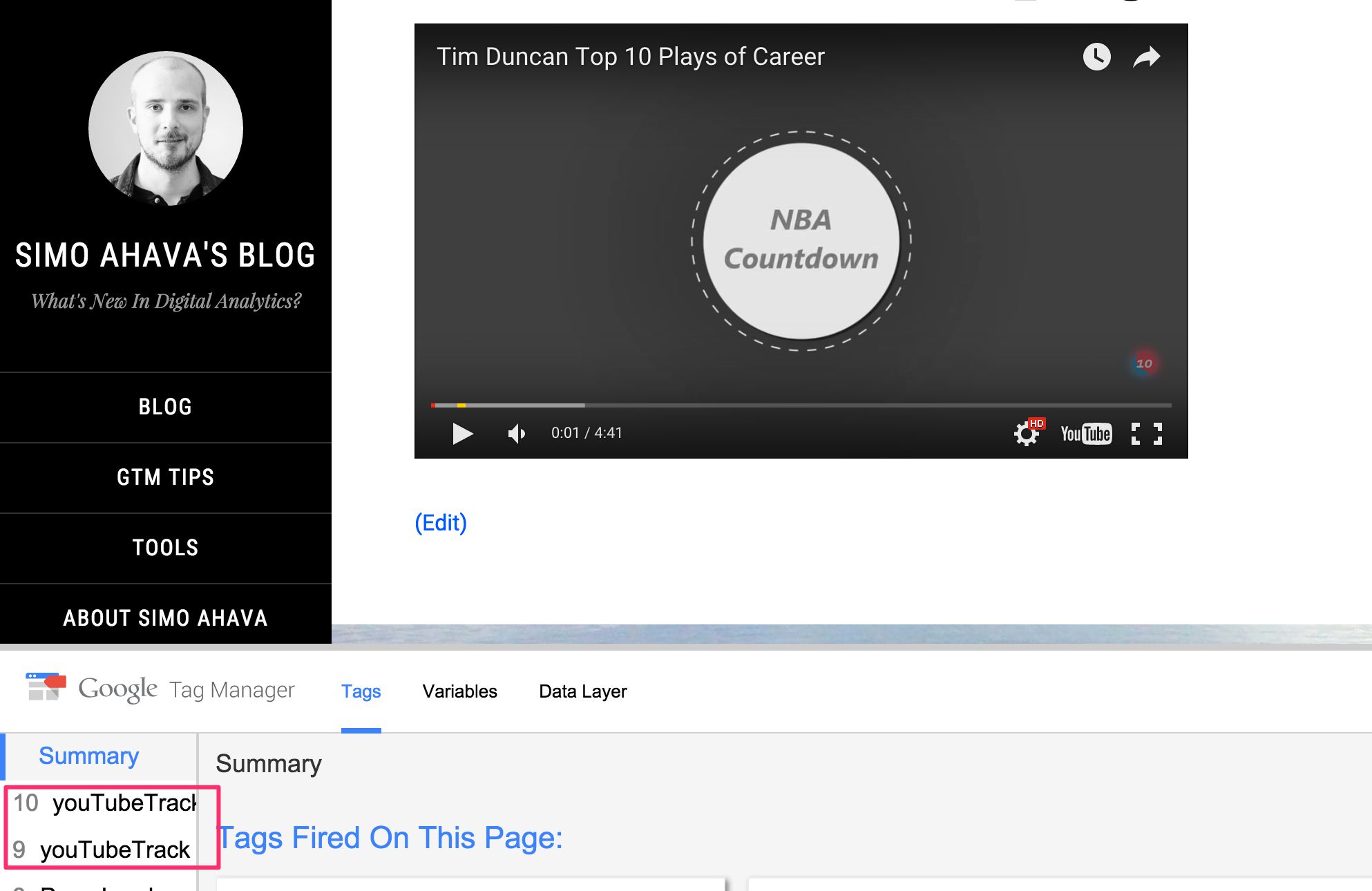
Tracking YouTube videos in Google Tag Manager is one of the more useful things you can do in terms of tracking. YouTube has a wonderful API that you can tap into and convert the detected events into dataLayer messages. There are some really good solutions out there for tracking …
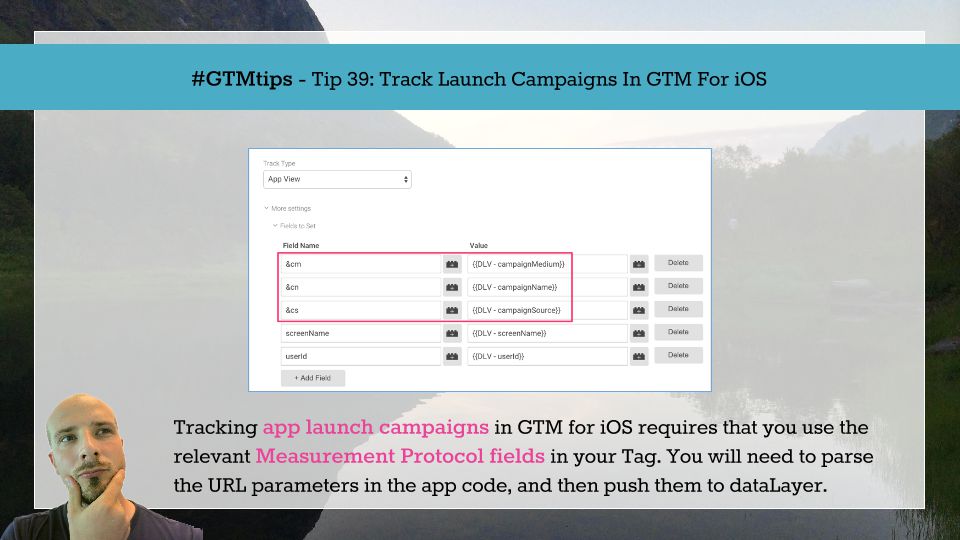
In Google Analytics for iOS, there are two types of campaign measurement. There’s install campaign measurement, which lets you track the channels which brought your visitors to the App Store, where they proceeded to download your app. There’s also launch campaign …

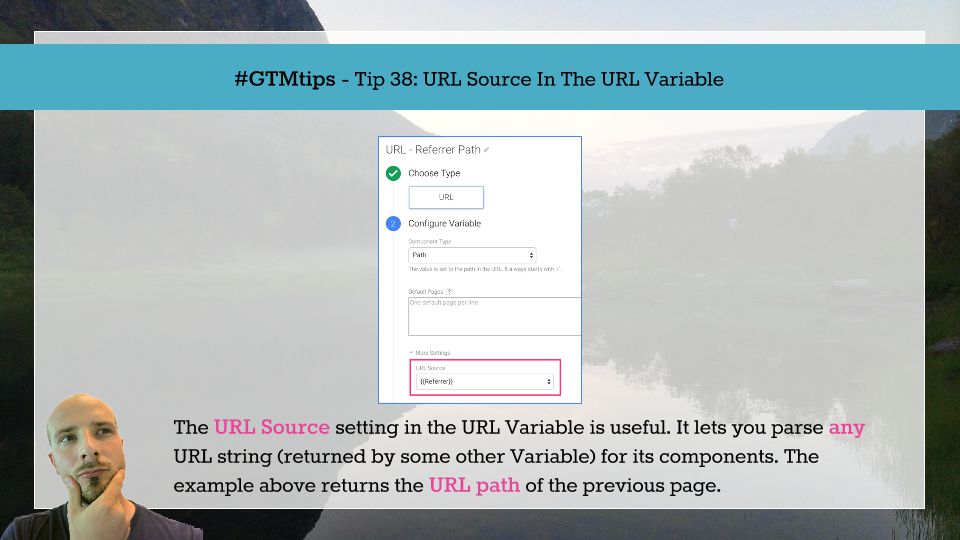
One of the less-known features of Google Tag Manager, a hidden gem if you will, is the URL Source setting in the URL Variable type. It lets you parse any URL String for its components. Tip 38: Parse URL strings with the URL Source setting The setting itself is easy to find. Just …

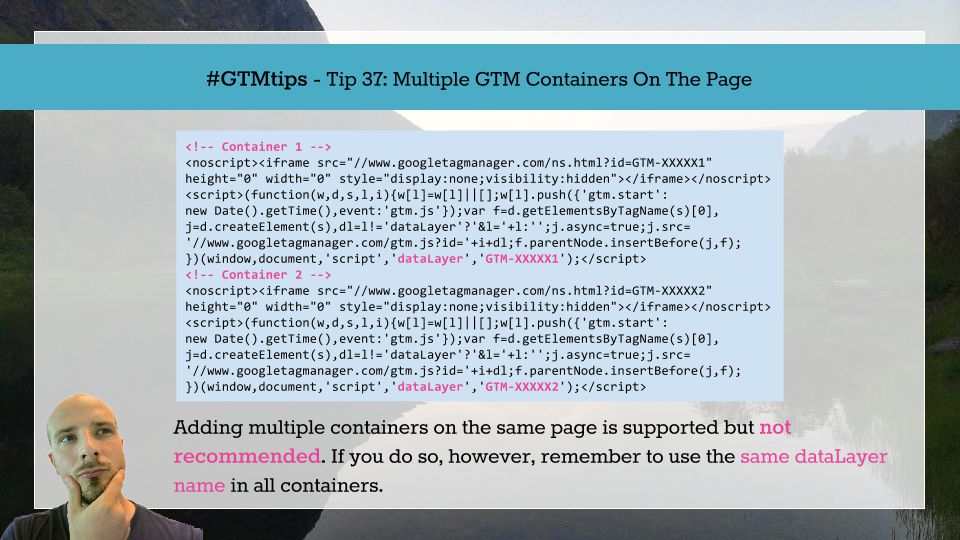
For some reason, you might run into a situation where you need to add multiple Google Tag Manager containers on the same page. Usually this is because of poor governance or an inflexible organization. My recommendation is to fix things in your projects first, and only resort to …