2-6 February 2026: Superweek, Hungary
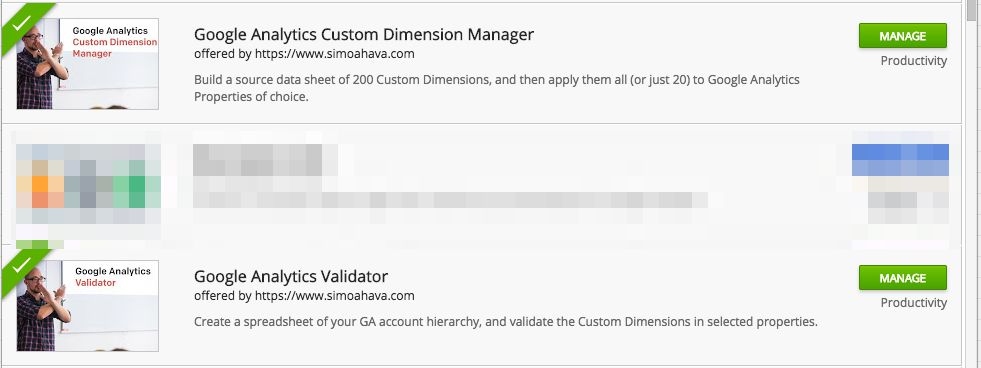
More often than not, much of what we do in web analytics can be automated. This applies especially to implementations, audits, configurations, and reporting. So when I’m faced with a menial, manual task that might take hours for me to complete if done by hand, I always look at what could be done with some scripting and API work. I want to introduce a couple of Google Sheets add-ons I’ve written and released to the public.

Continue reading

X

The Simmer Newsletter

Subscribe to the Simmer newsletter to get the latest news and content from Simo Ahava into your email inbox!

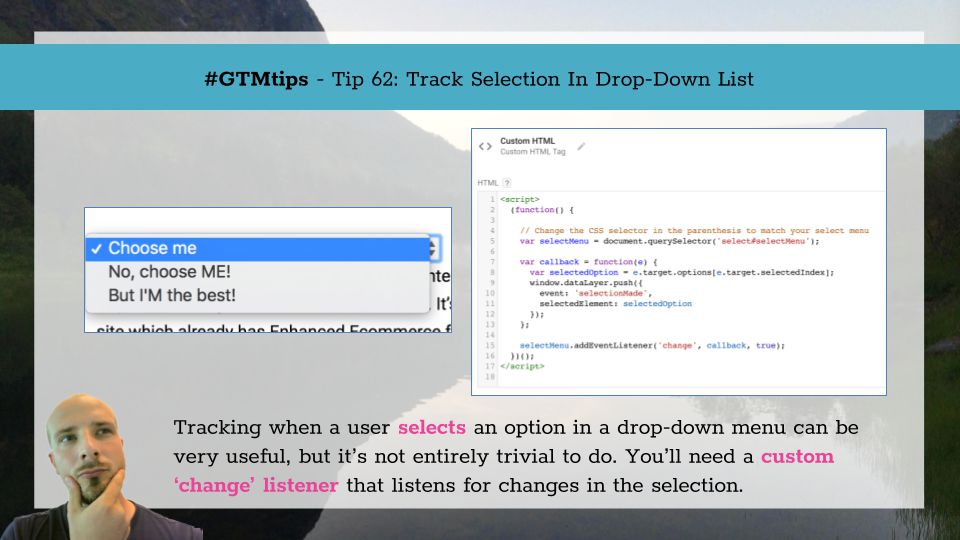
Tracking what a user selects in a drop-down (or select) list/menu can be very useful. This is particularly the case when the selection immediately does something, such as initiate a download or navigate the user to another page. But even if there is no immediate action, it’s still interesting to know what selections users might be doing, if only to uncover yet another piece of the engagement puzzle. Here’s the Google Tag Manager way to do it!

Continue reading

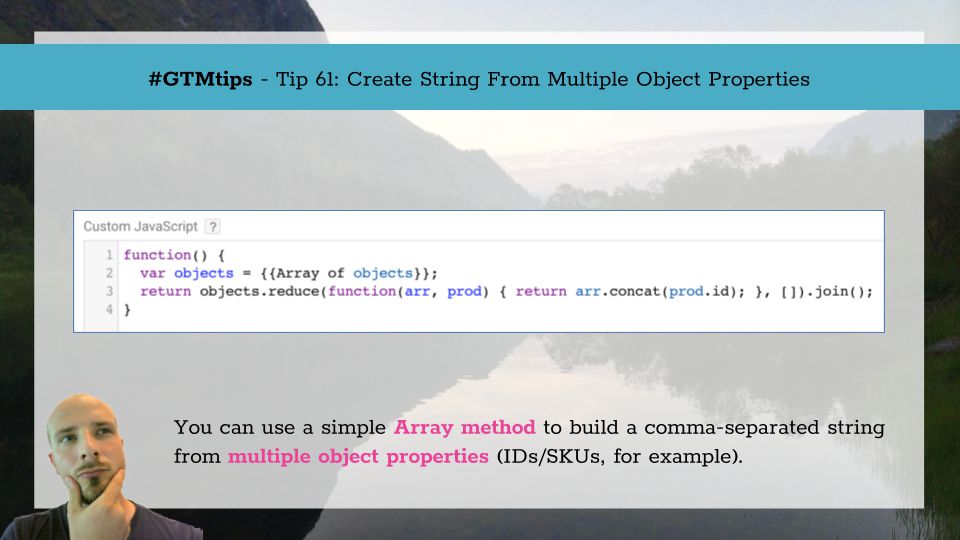
Facebook’s pixel has an attribute named content_ids (required for Dynamic Ads), which requires an Array of content IDs as its value. It’s very possible you’re running this pixel on a site which already has Enhanced Ecommerce for Universal Analytics implemented, and now you want to use the same Enhanced Ecommerce data that your developers have already made available in this Facebook pixel. Or perhaps you want to concatenate a list of strings, such as article tags (['culture', 'politics']), and send it as a comma-separated string to Google Analytics ('culture,politics').

Continue reading

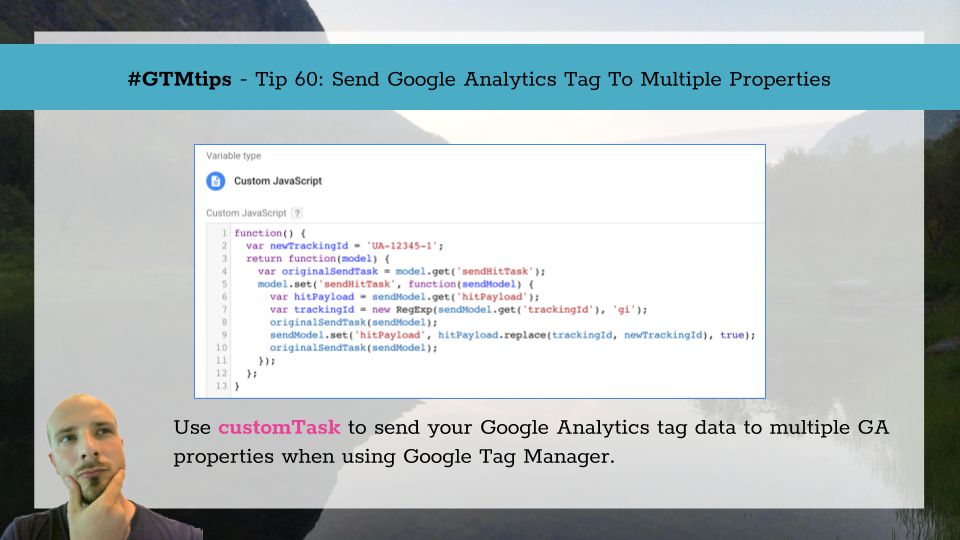
Here we are again, revisiting an old theme. When using Google Tag Manager, we often want to send the contents of the same tag to multiple Universal Analytics properties. With on-page GA, this used to be quite simple, as all you had to do was create a new tracker and then just remember to run the ga('trackerName.send'...) commands to all the trackers (or you could use my duplicator plugin). With GTM, your options are more limited, since Google Tag Manager abstracts the tracker object, giving you far fewer tools to work with.

Continue reading

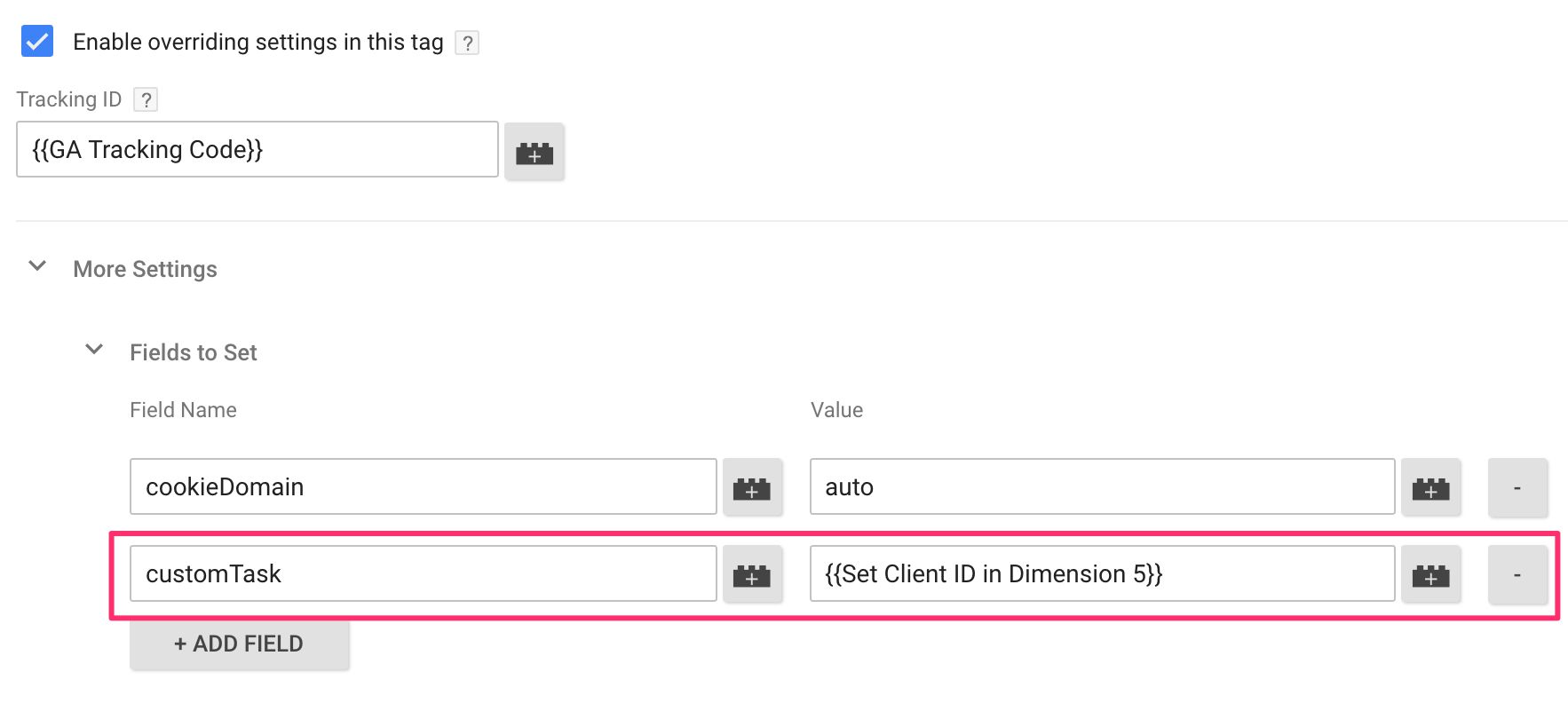
One of the things I’ve recommended from the get-go is to always send the Client ID to Google Analytics with your users’ hits. This is very useful for adding a level of granularity to your tracking. At first, I recommended using an Event tag to do this. Then I modified my approach a little so that you could send it with your initial Page View (thus not inflating your hit counts).

Continue reading

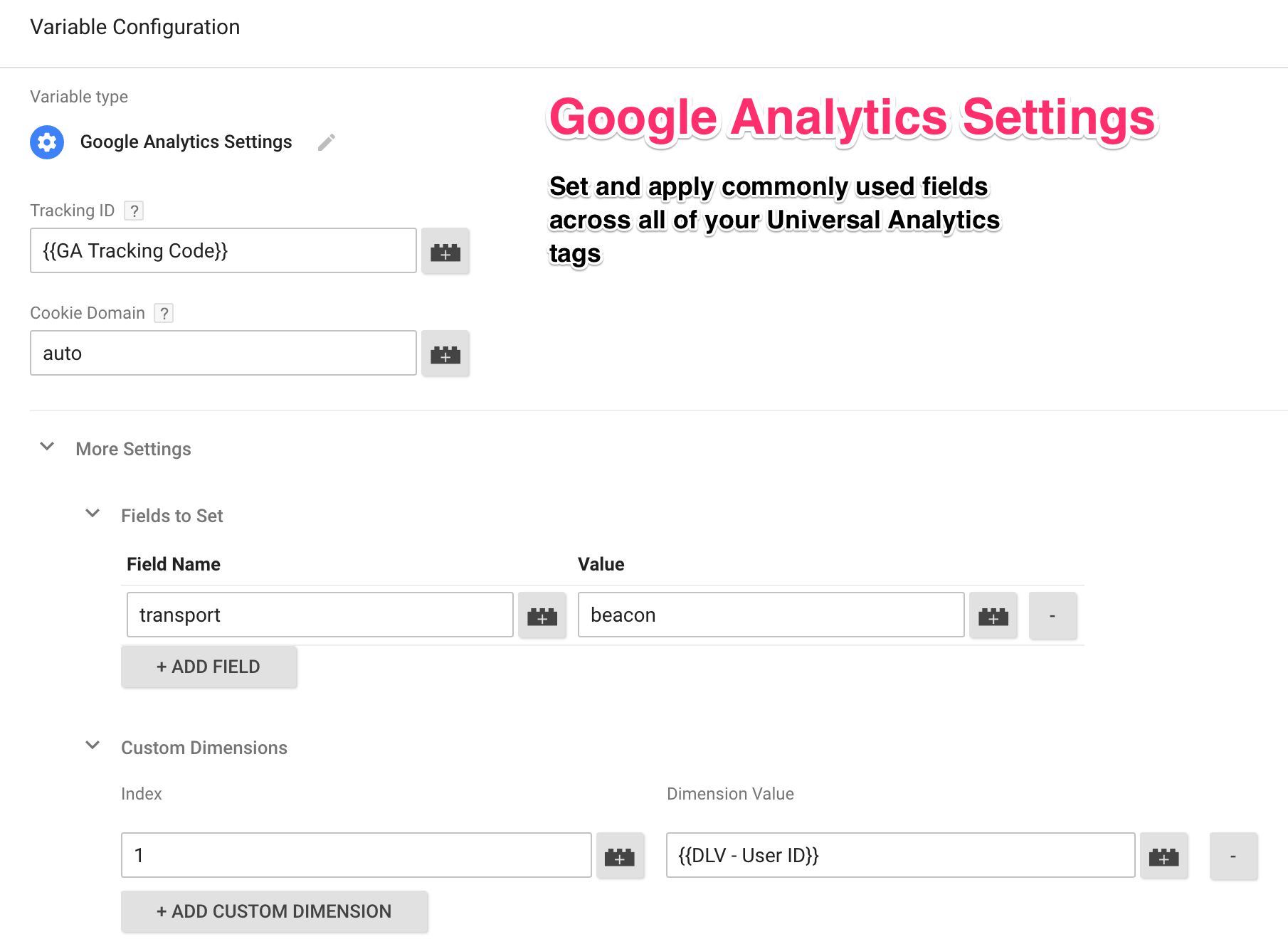
Let’s face it - most of us use Google Tag Manager for one main purpose: to deploy and configure Google Analytics tracking on a website. I’d wager that once you start using GTM, you won’t be implementing Universal Analytics the old-fashioned way, with on-page code, any more. But running Universal Analytics tags through GTM isn’t yet a perfect workflow. We’re still missing things like proper plugin support and the option to properly differentiate between the tracker and the hit - both of which are easy to do with an on-page implementation.

Continue reading

This is, by no means, a novel topic in this blog. I’ve covered Google Tag Manager’s event tracking and triggers numerous times before (see below). Auto-Event Tracking In GTM 2.0 #GTMtips: Track Outbound Links In GTM V2 #GTMtips: Fix Problems With GTM Listeners Trigger Guide For Google Tag Manager However, based on the number of queries we still see in the Google Tag Manager Product Forums about event tracking, I believe one particular aspect of GTM’s triggers invites revisiting.

Continue reading

Author's picture

Simo Ahava

Husband | Father | Analytics developer
simo (at) simoahava.com

Senior Data Advocate at Reaktor

Finland