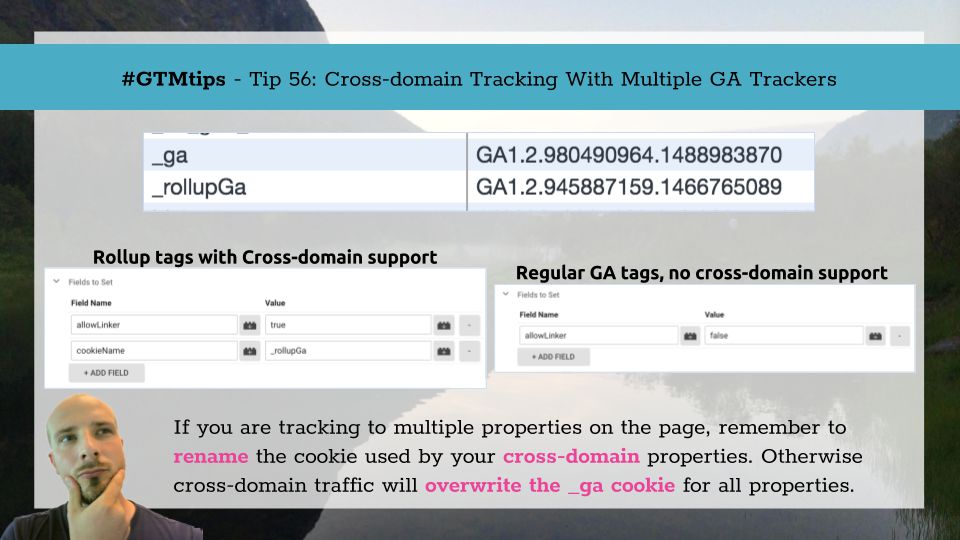
To be fair, this tip isn’t just for Google Tag Manager but for regular old on-page Google Analytics as well. It’s one of those little things that’s corroding your data quality without you ever realizing it. Namely, this tip is about how to handle cross-domain …
The beauty of #GTMTips, at least how I’ve envisioned them, is that they can be really simple or crazy complex. The important thing is that the idea is conveyed clearly enough. That’s why so many of these tips have originated from discussions in our Google Tag Manager …

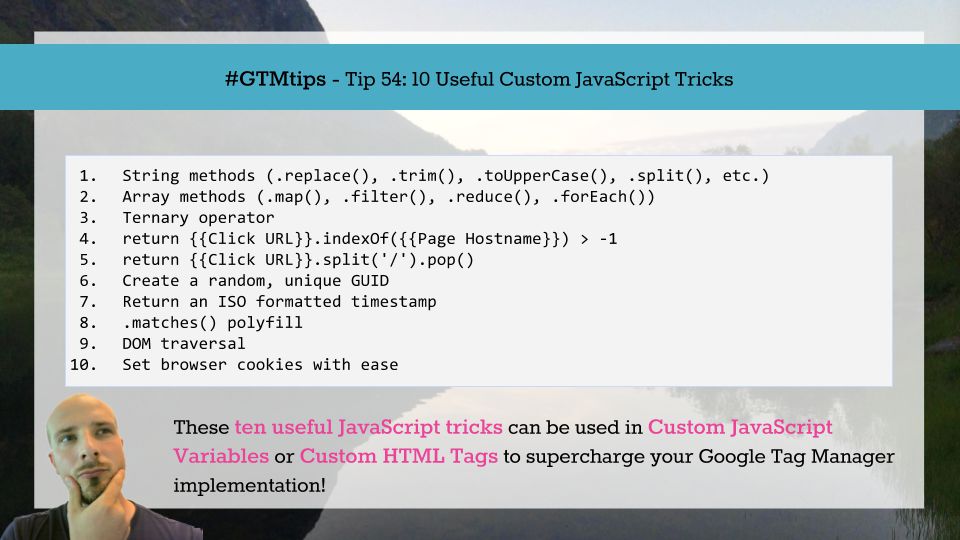
I recently published a #GTMTips guide called 10 Useful CSS Selectors, and it was very well received. Inspired by the feedback, here’s the next instalment. This time, we’re going over some useful JavaScript tips and tricks that you can use to make your Google Tag …

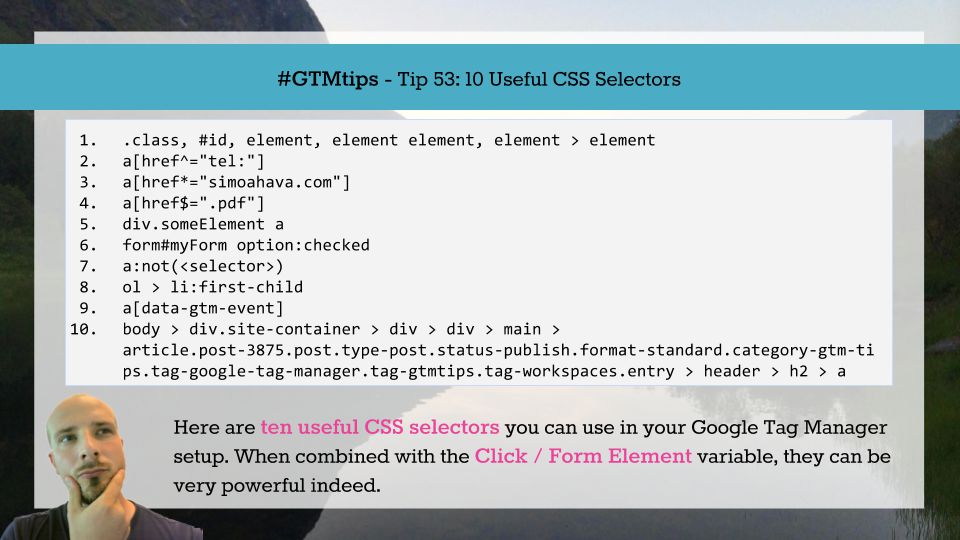
Without a doubt, the possibility to leverage CSS selectors in Google Tag Manager’s trigger conditions is one of the most useful features of the platform. It gives you an amazing amount of flexibility, especially when combined with GTM’s click and form triggers. …

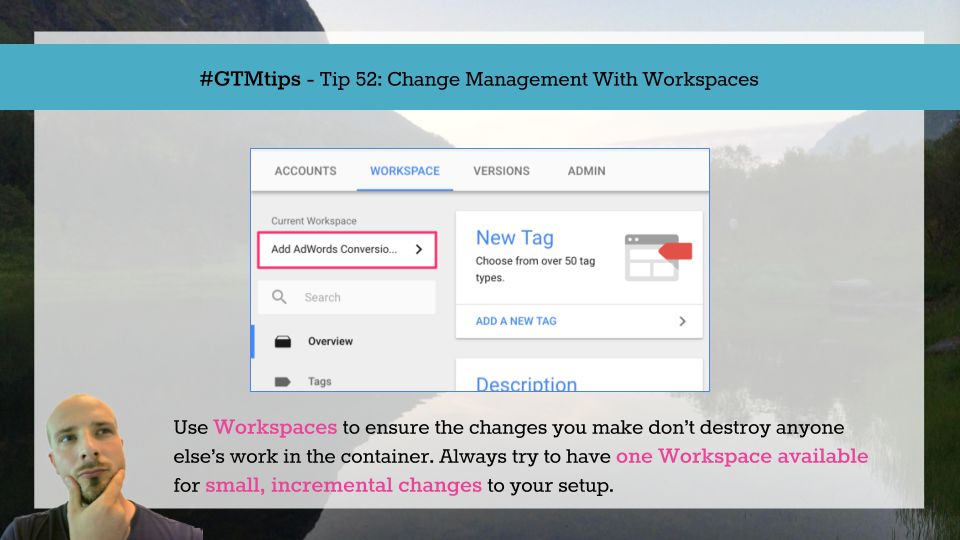
A while ago, the Google Tag Manager team published one of my favorite feature releases in the history of GTM: Workspaces. I was so thrilled by this release that I went ahead and published a guide on how to implement and leverage this new feature. Workspaces is a very …

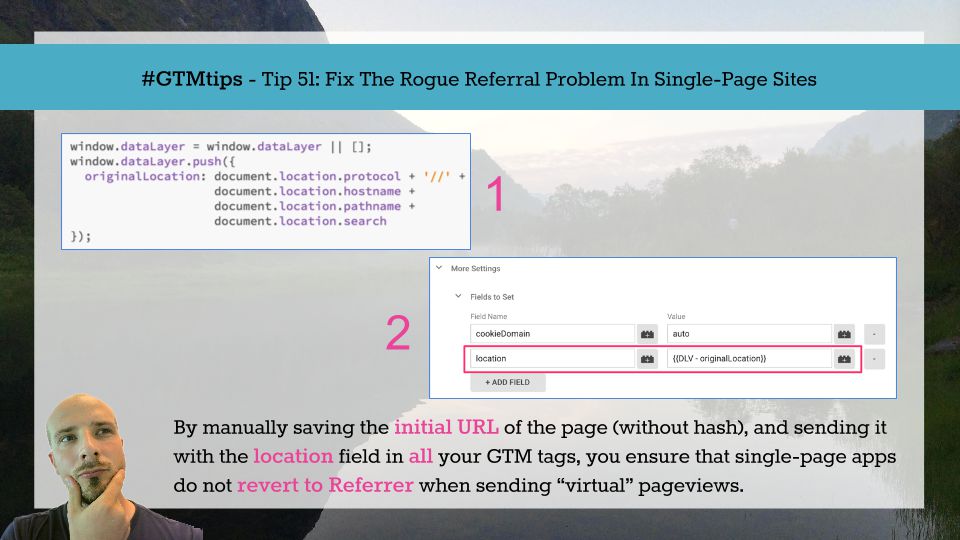
Single-page sites (or single-page apps) typically have just one page load. When navigating the site, subsequent content is either uncovered from the DOM, where it’s been in a hidden state, or loaded from the server using HTTP requests that do not invoke a new page refresh. …

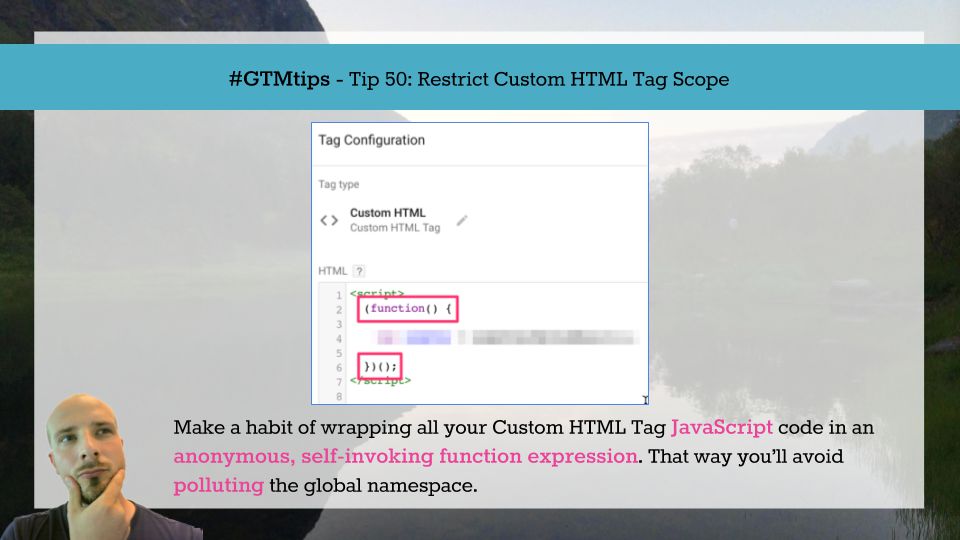
What better way to celebrate the 50th #GTMTips article than, well, a really useful Google Tag Manager tip?! This tip is so useful and simple; it encapsulates everything that I had in mind when starting this series. The tip is about restricting scope of Custom HTML Tags. This is …