#GTMTips: Track JavaScript Errors as Events

Back back to the friggin’ basics. Almost two years ago, I wrote a two-parter on how to have fun with Google Tag Manager: Part 1, and Part 2. The first part had a nice exercise for tracking JavaScript Errors as Google Analytics Events, using the recently published “JavaScript Error Listener” Tag.

Well, that was in GTM V1. Now we’ve been smoothly sailing with the wonderful new interface for well over a year, and it’s time to update some of these nifty tricks. In this #GTMTips post, I’ll show you how to track uncaught JavaScript errors in the new interface, plus give you some tips on the overall process.

Read More…

#GTMTips: Prevent Tag From Firing in IFrame

Unfortunately, iFrames still exist. They are used to embed content from one page into another. Frames are horrible, nasty things, very often riddled with cross-domain problems, performance issues, responsive design obstructions and other crap from the nether pits of hell. Regardless, if you’re stuck with an iFrame which also collects data to your Google Analytics property, for example, you probably want to prevent at least the first Page View from firing, since otherwise you’ll be double-counting Page Views: once on the main page and once in the iFrame. In this tip, I’ll show you how to prevent a Tag from firing if it’s executed in a document that is in an iFrame.

Read More…

Spam Filter Insertion Tool

Last weekend, I wrote a very simple web app that automatically creates a number of referral spam filters to tackle the problem that seems to have everybody all riled up.

For a nice recap of the situation, take a look at this post by Jeff Sauer, or this article by Mike Sullivan.

This isn’t an opinion piece, even though I’ve got a great number of opinions about this issue. If you want to read some discussion surrounding this, take a look at this Google+ thread.

Read More…

Universal Analytics Plugins Explained

There are many tools and methods to make Google Analytics more manageable. Google Tag Manager is probably the best known of these, and you can find many, many articles about GTM on these pages as well.

However, today I want to tell you about one of the features of Universal Analytics that hasn’t, as far as I know, received too much attention. It’s funny, because at the same time almost everyone uses the feature in the shape of eCommerce, enhanced link attribution, and cross-domain tracking. I’m talking, of course, about Universal Analytics plugins.

Read More…

Send Weather Data to Google Analytics in GTM V2

In 2013, I wrote a guide for Universal Analytics and Google Tag Manager on how to poll for weather conditions, and send this information to Google Analytics as a custom dimension of the session. The guide was intended as a technical introduction to Google Tag Manager, and I think it succeeded in that.

However, GTM has changed a lot over the last 1.5 years, and I’ve made some improvements to the method along the way. So I wanted to update the guide for the new version of Google Tag Manager (V2), and introduce some changes to the code that make it more flexible and efficient.

Read More…

Leverage UseBeacon and Beforeunload in Google Analytics

This nifty little solution will let you calculate the time spent on pages that are not tracked in Google Analytics by default. These include both bounced landing pages and exit pages. Bounced pages and exit pages lack the necessary subsequent pageview, which Google Analytics uses to calculate time-based metrics.

Before you go on, read this excellent article by Yehoshua Coren:

REAL Time On Page in Google Analytics

Yehoshua gives a very nice use case for the technical solution I’m about to explore. He also leverages the Page Visibility API to get an even more accurate overview of visitors who actually digest content, and how much of that time that content is visible on their screens. Fundamental stuff, read it!

Read More…

Track Non-JavaScript Visits in Google Analytics

One of the big mysteries in browser-based data collection platforms like Google Analytics is what happens when the visitor is not being tracked. This is most obvious in cases where the user explicitly opts out of tracking, when the user does not have JavaScript active in their browser, in bounced sessions, and on exit pages.

Opt-outing means that the user explicitly prohibits a website from tracking them. In some cases, it’s possible that opt-out is the default, and the user must explicitly opt-in to allow GA to record their visits. In this article, I will of course not give you ideas how to circumvent this, as you must respect the user’s wishes.

Read More…

Use Page Visibility API With GTM

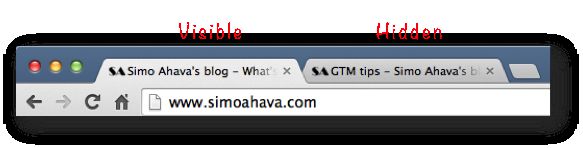
The Page Visibility API for web browsers is pretty sweet. It lets you poll, using some new properties of the document object, whether or not the current page is visible to the user. Visibility is hidden if the page is not open in the current browser tab instance, or if the browser window has been minimized.

In this post, I’ll give an example of how features of the Page Visibility API could be used with Google Tag Manager. Do note, however, that browser support for the API pretty much excludes all IE versions older than 10 from the scope of this article.

Read More…

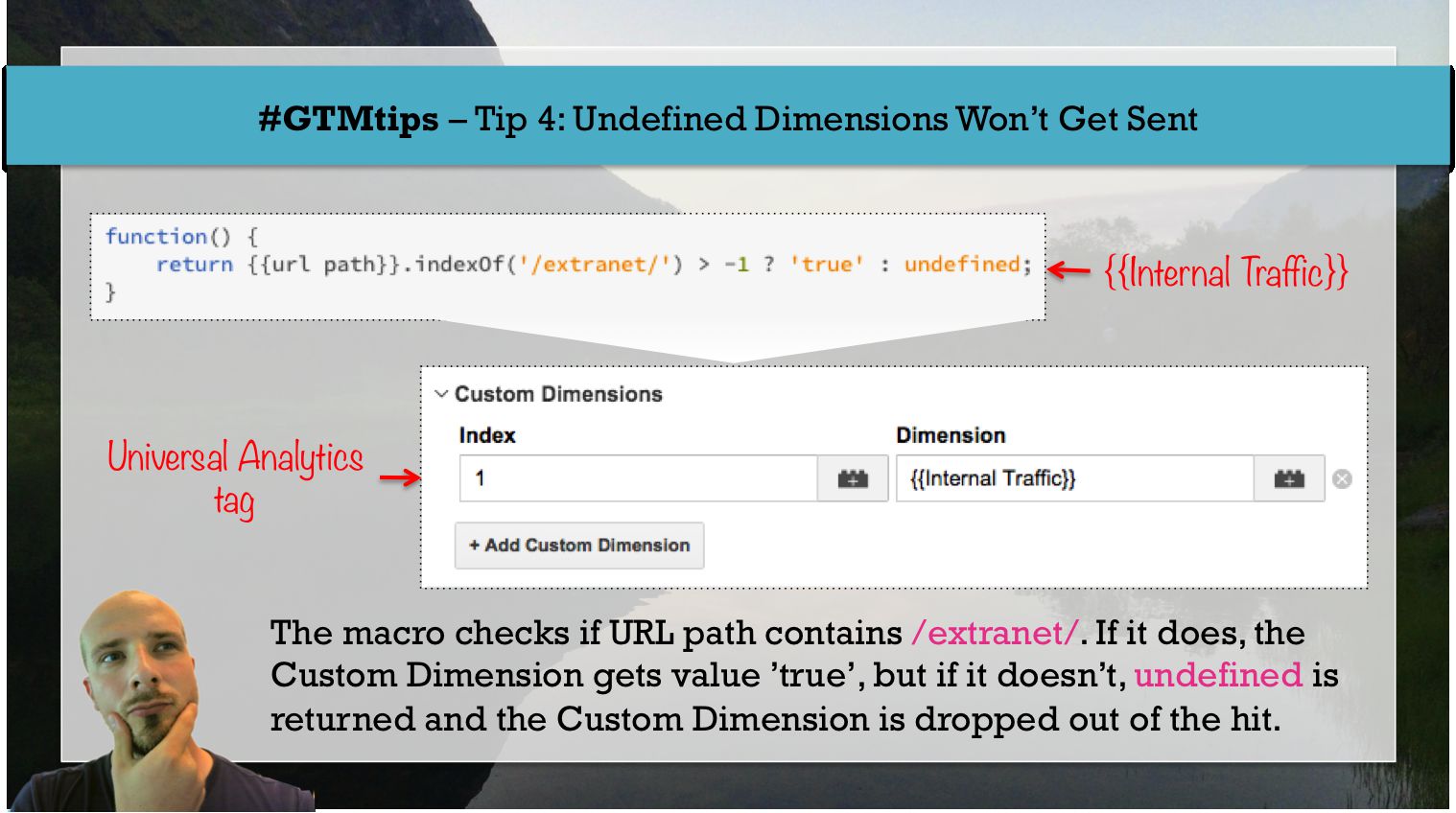
#GTMtips: Undefined Dimensions Won't Get Sent

This might not sound like a tip to you. You might think, “Dimensions won’t get sent? Sounds like a bug!”. You’re wrong. This is one of the awesome features of the GA API, and it’s key to making your tag setups leaner when sending data to Google Analytics.

Tip 4: Undefined dimensions are left out of GA hits

Note that ‘undefined’ here means the special value undefined in JavaScript. For a refresher, check this post. If you use a macro in a dimension field of Google Tag Manager’s Universal Analytics tags, this dimension will be left out of the hit payload if its return value is undefined.

Read More…

Persist DataLayer in Google Tag Manager

(Update 19 November 2018: See this article for a more elegant solution.)

If you know your JavaScript, you know that all variables, functions, objects, resources, and data in the document get rewritten with every page load. In other words, every single page refresh builds the page from scratch, and the state of the document before the page refresh is left drifting in the ocean of oblivion.

Google Tag Manager’s dataLayer is also one such entity. It gets rewritten with every page load, so it’s not possible to have a dataLayer variable persist from one page to the other without using cookies or, as I’m going to show in this guide, the HTML5 Web Storage API. For web analytics, this is a bit of a shame. It forces us to think of things in the scope of a single page, when rarely anything worth mentioning has a lifespan that short.

Read More…