Fun With Google Tag Manager: Part 1

It’s time to dig into my tip library for some pretty cool things you can do with Google Tag Manager to enhance your site tagging. Some of these are macro magic through and through, some of these are best practices, and some of these are things that will make your life easier while managing a tag management solution.
I’ve split this post into two parts to make it more Hobbit and less Lord Of the Rings length-wise.

Read More…
Simple Split Test With Google Tag Manager

Over the last couple of posts I’ve mainly been doing proof-of-concept (POC) tests with Google Tag Manager. The great thing about a POC is that you don’t really need to have any viable results or insight-driving technological innovations. The point is to showcase some feature of the platform on which the experiment was conducted.

In this post, I’ll take a care-free step into the world of POCs again. My goal is to do a simple split test in order to identify which variant of a landing page (or key element thereof) produces the most conversions.

Read More…

Send Mail Upon Google Tag Manager Event

Let’s say you want to set up a rudimentary email alert system in your Google Tag Manager implementation. Say, for example, you want to receive an email every time an uncaught error occurs on your website. It’s not a very good use case, since a large website can spawn hundreds of uncaught exceptions in a short period of time, but let’s just pretend for now.

If you know your JavaScript, you’ll know that you can’t send mail using client-side code. That’s a browser security thing, and I completely understand it. However, a vast majority of websites are created using a CMS which might provide some mail function or hook for you to use. And even if you don’t have a cooperative web server (or there’s no way you can persuade your developers to help), you could use any one of the online email APIs that are out there.

Read More…

Google Tag Manager: DOM Listener

In this post, I’ll walk you through a tutorial on how to create a Google Tag Manager extension. This extension will be a new listener, whose sole job is to listen for changes in the HTML and CSS markup on the page.

The reason I’m teaching you how to create a DOM listener is simple. Ever so often I come across people asking for help, but they are unable to touch on-page code. Usually the problem is magnified with form handlers, since the developers might have installed some custom jQuery form manager, for instance, which simply refuses to cooperate with GTM’s form listeners. That is why you might want to fire a GTM event when a certain message pops up on the screen, for example.

Read More…

Advanced Form Tracking in Google Tag Manager

There is a new, updated version of this article for the new version of Google Tag Manager. I strongly suggest you read that as well!

I really enjoy the ad hoc Q&A sessions my blog posts have inspired. I haven’t said this enough, but I am really, REALLY grateful to people who take their time to comment on my posts, even if it’s just say a quick “Hi!”. The main reason I enjoy getting blog comments is because they often turn into blog posts. Seriously, if you’re a blogger suffering from writer’s block, take a look at your comments. There’s a wealth of content ideas right there.

Read More…

Google Tag Manager: Playing by the Rules

There is a new version of this guide for GTM V2 here.

(Last updated April 2014) I see Google Tag Manager’s operational model as an analogy of Montesquieu’s three-branched government theory (don’t leave just yet, I’m getting somewhere with this). We have the legislative power of tags (what should be done), the judiciary power of macros (explore the context and circumstance of each tag), and the executive power of rules (make the tag happen). Not one of these would work without the others, so checks and balances are in place as well.

Read More…

Some Awesome Google Tag Manager Resources

When push comes to shove, I’m a pretty lazy guy. I enjoy nothing more than just to stretch my legs on a couch, pick up my iPad, and read what’s going on in the world. I skip the news, since they’re just full of depressing stories. Instead, I head over to my favorite Google+ communities to see what’s new in the blogosphere.

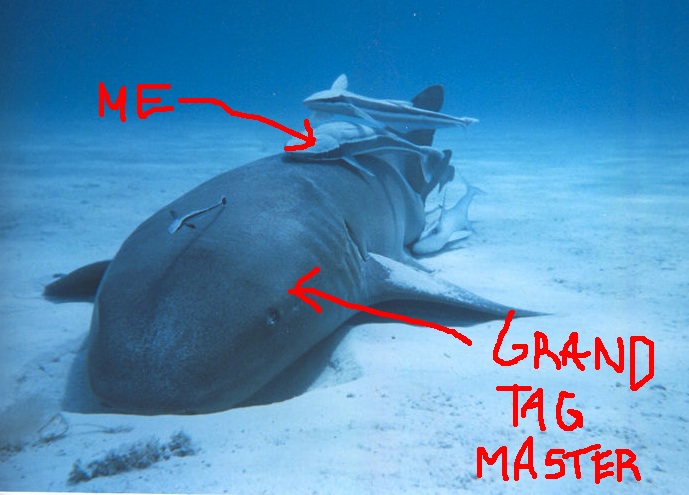
This approach has led me to some pretty amazing individuals, whom I follow like a suckerfish. These people have written a bunch of great articles, which have helped countless people with their Google Tag Manager installations. Or they might be really active in the online communities which people turn to for advice.

Read More…

Macro Guide for Google Tag Manager

I’ve written a new Variable Guide for Google Tag Manager, which covers the new GTM UI. This guide is for the old UI.

You might be vaguely familiar with macros if you’ve ever used a computer. Basically, whenever you perform a complicated task with a simple gesture, or reuse complex code with a simple input mechanism, you’re using macros. Think keyboard shortcuts.

In Google Tag Manager, this is the essence of macros. You can do away with a lot of complexity by resorting to macros, especially if you ever find that you need the same piece of code or the same operation over and over again.

Read More…

Troubleshoot Google Analytics: 9-Step Program

I’ve had such a blast in the Google+ Google Analytics community. Not only are the people super-duper-nice, but I have the wonderful opportunity of helping people with their Google Analytics problems without feeling obligated to invoice them or ask for compensation for my troubles. I do it because I love to help, because I feel like I have a lot to share with the community, and because I’ve always believed that the more knowledge you share the more you accumulate.

Read More…

It's Not About Marketing

In a recent post, I took a short foray into the world of clumsy analogies by comparing the team work qualities (and necessities) of basketball and digital marketing. In an even earlier post, I made the claim that the single most important facet of content strategy is audience design. Well, now is the time to pull these two threads together all trilogy-like. After this, you can hail me as the Stieg Larsson of marketing.

Read More…