The EEC Products -> GA4 Items custom variable template is a variable template for Google Tag Manager’s community template gallery.
| Resource |
|---|
| Gallery entry |
| GitHub repo |
Description
This template has four main options.
- Map ecommerce object automatically - the template looks into the latest
ecommerceobject pushed intodataLayer, and takes its products, impressions, or promotions array (whichever is found). It returns the array mapped into the format required by theitemsparameter in GA4 ecommerce. - Map products array - Select a variable from the drop-down which returns a valid Enhanced Ecommerce
productsarray. The variable will be mapped into the format required by theitemsparameter. - Map impressions array - Select a variable from the drop-down which returns a valid Enhanced Ecommerce
impressionsarray. The variable will be mapped into the format required by theitemsparameter. - Map promotions array - Select a variable from the drop-down which returns a valid Enhanced Ecommerce
promotionsarray. The variable will be mapped into the format required by theitemsparameter.
The items are mapped as closely as possible, using the following pairs:
| EEC parameter | GA4 parameter | Description |
|---|---|---|
id | item_id or promotion_id | The ID of the product, impression, or promotion. |
name | item_name or promotion_name | The name of the product, impression, or promotion. |
brand | item_brand | The brand of the product or impression. |
variant | item_variant | The variant of the product or impression. |
category | item_category([2-5]) | The category of the product or impression, automatically split into item_category to item_category5. |
price | price | The price of the product or impression. |
quantity | quantity | The quantity of the product or impression. |
list | item_list_name | The product list of the product or impression - taken from either the product/impression object if available, or from actionField if present there. |
position | index or creative_slot | The index of the impression or the slot of the promotion. |
creative | creative_name | The name of the promotion creative. |
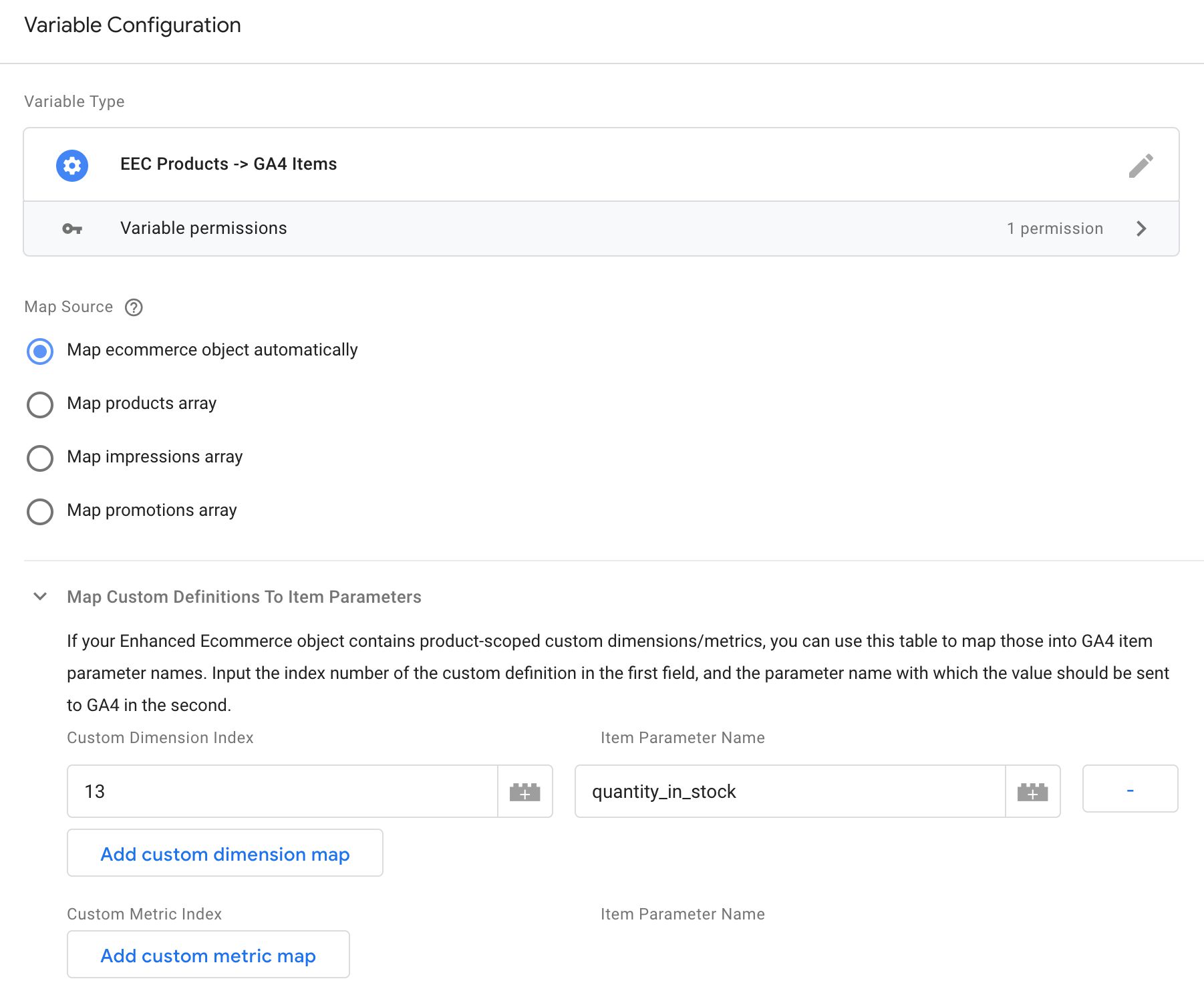
In addition to this, you can map product-scoped custom dimensions and metrics to proper item parameter names. To create a mapping, you need to provide the index number of the custom dimension or metric (e.g. the 1 in dimension1) in the first field, and then an item parameter name in the second. To map a custom metric in index 13 to an item parameter named quantity_in_stock, you’d create the mapping like this:

All custom dimensions and metrics that are not mapped will be added into the item object with their original names (so dimension17, metric23 for example).
Release notes
| Date | Changeset |
|---|---|
| 9 December 2020 | Fix quantity to not send NaN if source is not a valid number. |
| 28 November 2020 | Fix item_categoryX to not have the second underscore. The official documentation is wrong. |
| 23 November 2020 | Automatically convert quantity to integer, as any other number format breaks item revenue. |
| 21 October 2020 | Add option to map custom dimensions and metrics to proper item parameter names. |
| 17 October 2020 | Initial release. |