CSS Selector Guide for Google Tag Manager

Some four years ago, Google Tag Manager released a new trigger predicate named matches CSS selector. Slowly but surely, it has evolved into one of the most useful little features in GTM.
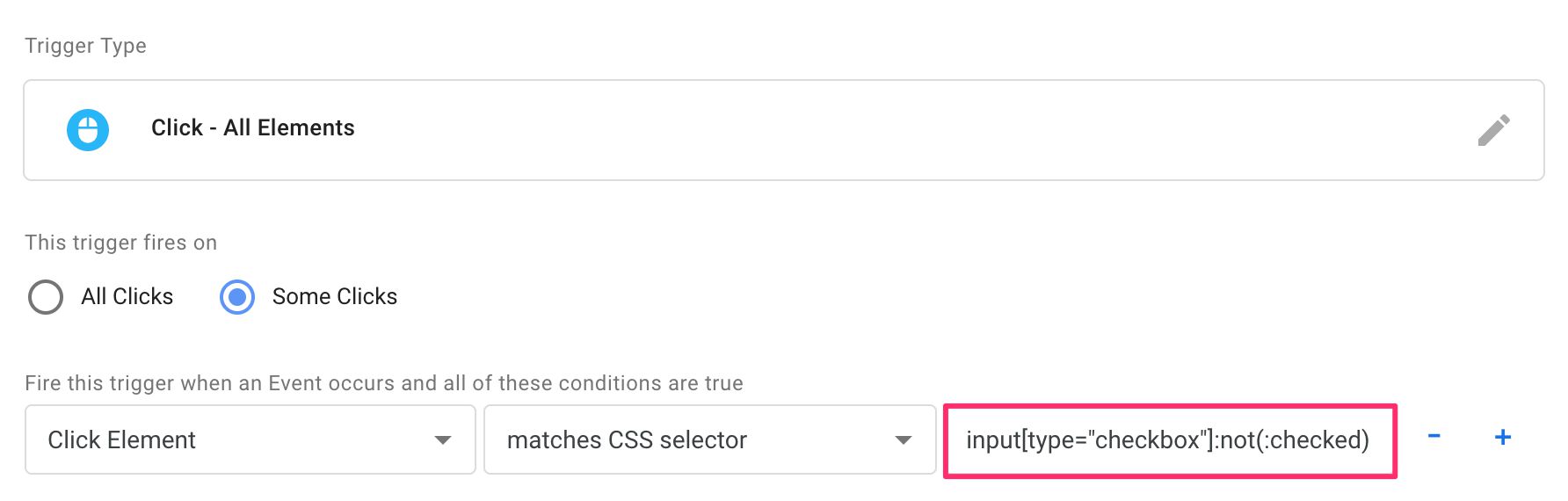
Even though I’ve written about CSS selectors many times before, I wanted to compile all the relevant information into a single guide. For an external resource, I recommend bookmarking the w3schools.com CSS Selector Reference. But for your day-to-day use of CSS selectors in GTM, this guide will hopefully prove useful.

Read More…
Trigger Groups in Google Tag Manager

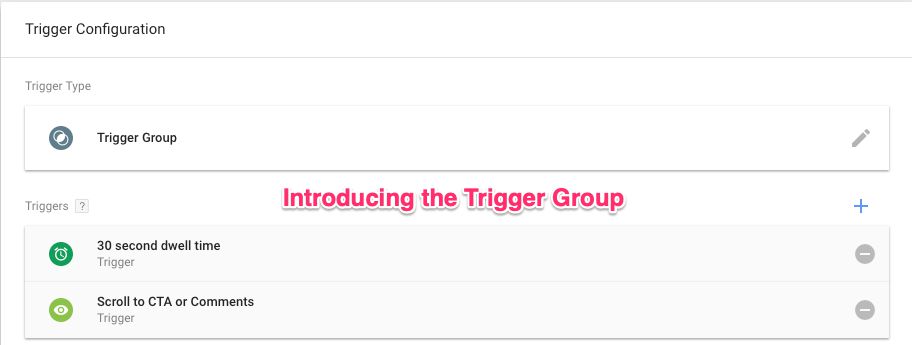
Trigger Group is the newest trigger type you can add to a tag in Google Tag Manager. It allows you to establish dependencies between multiple triggers, not firing the tag until every trigger in the group has fired at least once.

This establishes an interesting new paradigm in Google Tag Manager, because until now it wasn’t possible to create triggers that relied on earlier values of a given key (event in this case). With the Trigger Group, information about triggers that have fired on the page is persisted internally in GTM, and once the triggers configured in the Trigger Group have all signalled completion, the Trigger Group will fire any tag it’s attached to.

Read More…

Send Event Hits Before Pageview Hits in Google Analytics

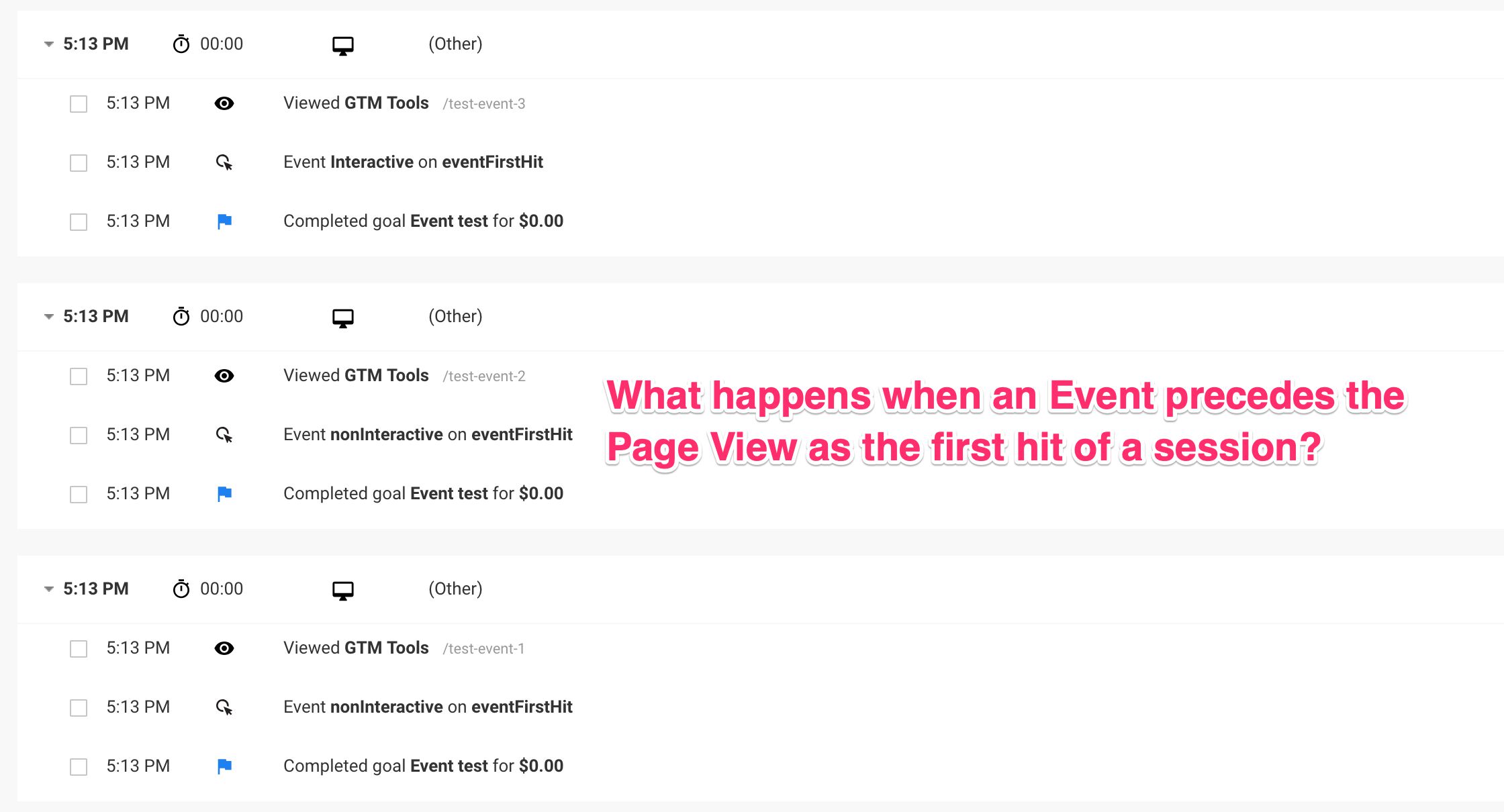
One of the myths surrounding Google Analytics is that the first hit of a session should always be a pageview. It makes sense - sessions are initialized with a landing page, and thus need a page view to have one.

However, in this article I want to show you empirically how this myth is just that - a myth.

There is little discernible impact if the first hit of a session is an event, and GA is more than capable of stitching the first event together with the subsequent pageview into a session entity.

Read More…

ITP 2.1 and Web Analytics

Updated 1 October 2019 With ITP 2.3 it looks like Safari is reducing the usefulness of localStorage as well, so using that as an alternative fix to persistence issues should not be considered future-proof. this solution should not be considered future-proof.

Updated 12 March 2019 with some minor clarifications..

On 21st February 2019, WebKit announced the release of the latest iteration of Safari’s Intelligent Tracking Prevention (ITP), known as ITP 2.1. For a while now, Safari has been targeting cross-site tracking with ITP, first starting with cookies in third-party contexts, then tightening the noose after a number of workarounds emerged, and finally with the latest iteration targeting cookies that were moved from a third-party context to a first-party context.

Read More…

Google Tag Manager and JQuery

The jQuery JavaScript library is by almost any means of counting the most popular JavaScript library used in websites around the world. It’s so influential, in fact, that its evolution is tightly bound to the JavaScript standardization effort itself, and it’s an integral part of the JS Foundation’s efforts to build a community for JavaScript developers.

Google Tag Manager, similarly, is the most popular tag management system used in websites, globally. Thus, by way of weak correlation, it makes sense to expect some synergy between the two.

Read More…

True View Ecommerce Impressions With Google Tag Manager

Last updated 9 October 2020: customTask updated to a more stable version.

I’m a big fan of Enhanced Ecommerce in Google Analytics. In fact, I think it’s the only valid way to deploy Ecommerce tracking today, especially when using Google Tag Manager. The ability to use a Custom JavaScript variable and the possibility to tackle the full ecommerce funnel are some of the benefits of using Enhanced Ecommerce.

However, tracking certain view-based events, impressions in particular, has a significant problem when it comes to how Google Analytics processes events. In a nutshell, when implemented by the book, impressions are sent for all the product impressions on the page when the page is loaded. In other words, you are collecting hits from impressions the user might not actually have seen.

Read More…

Obfuscate and Duplicate Google Analytics Data

Perhaps you didn’t know this, but there’s a really handy demo account for Google Analytics you can use to check out how Google Analytics works in a real business context (the data is from the Google Merchandise Store). However, you can access the account with nothing more than read-only access. This is annoying if you wanted to customize the setup.

Worry not, I have a solution for you! Harnessing the awesome power of customTask, you can create a duplicate of the data collected on any website where you can modify the tracking (e.g. via Google Tag Manager). Even better, the data will be obfuscated using a dictionary of English words (you can edit this list), and hashing each string in the payload predictably against this dictionary.

Read More…

Prevent Duplicate Transactions in Google Analytics With CustomTask

One of the big problems in Google Analytics’ data model is the immutability of historical data. Once a row of data is written into the data table, it is there practically for good. This is especially annoying in two cases: spam and bogus ecommerce hits. The first is a recognized issue with an open and public data collection protocol, the latter is an annoyance that can explode into full-blown sabotage (you can use the Measurement Protocol to send hundreds of huge transactions to your competitor’s GA property, for example).

Read More…

How to Unset a User-Scoped Custom Dimension in Google Analytics

Scope in Google Analytics’ Custom Dimensions refers to how the value in the Custom Dimension is extended to all hits in the same scope.

Hit- and product-scoped Custom Dimensions apply to the given hit alone - they are not extended to any other hits in the session or by the same user.

Session-scoped Custom Dimensions apply the last value sent during the session to all the hits in that session.

User-scoped Custom Dimensions apply the last value set during the session to all the hits in the session AND to all future hits by the same client until a new value is sent.

Read More…

Install Snowplow on the Google Cloud Platform

Last updated 18 Jan 2019: Added details about the free tier limitations, and showed how to avoid the Dataflow jobs auto-scaling out of control.

I’m (still) a huge fan of Snowplow Analytics. Their open-source, modular approach to DIY analytics pipelines has inspired me two write articles about them, and to host a meetup in Helsinki. In my previous Snowplow with Amazon Web Services guide, I walked you through setting up a Snowplow pipeline using Amazon Web Services. This time around, I’m looking at the wondrous Google Cloud Platform, for which Snowplow introduced support in an early 2018 release.

Read More…