Simple Tracker Duplication for Universal Analytics

First of all, I’m sorry about the title. I should really stop throwing the word “simple” around, since people always tell me that the stuff I claim to be easy and straightforward is rarely so. But since this is my blog, I reserve the right to use whatever stupid and misleading terminology I want. I maintain that what follows IS quite simple, especially when considering the amount of complexity it reduces in your Universal Analytics setup.

Read More…
Debug Google Analytics on Your Mobile Browser

I’m currently at SMX München, which is still one of my favorite conferences in Europe. The quality of the talks is superb, and the organization is just perfect. So today, after my talk (joint session with the awesome Dave Sottimano), I was listening to the inimitable Mike King give an excellent presentation together with Ari Nahmani on technical skill prerequisites for all digital marketers today. Needless to say, I strongly agree with their view that digital marketing has always been a technical discipline, and the web is getting more and more complex each day that passes. The only way to address this flux is to hone your technical skills as much as you can.

Read More…

Track Content Engagement Part 2

A couple of days ago, I wrote an article on tracking content engagement. Even though the solution itself works, and it’s a really neat trick if I can say so myself, it has its problems.

After all the glory I showered on User Timings in Google Analytics, they have one serious flaw: they cap at 10,000 samples per day. What a ridiculous, arbitrary limit.

In any case, this means that if you have enough traffic to accumulate 10K user timing hits per day, it means that the solution I provided in the previous article will not work for you, as the Pageviews will not be capped, meaning the calculation of Total Engaged Time / Pageviews will be skewed.

Read More…

Track Content Engagement via GTM

When looking at Google Analytics reports, you’d think you get a pretty good idea of how people are interacting with your site, right? I mean, you’re tracking events here, pageviews there, and user timings, custom dimensions, custom metrics, and calculated metrics are all part of your daily lingo. But you’re also probably aware of how futile this tracking is. After all, all you’re seeing are numbers that reflect certain outcomes the visitors have produced on the website, and how these outcomes match against your preconceived goals and objectives, right? It’s difficult to wrap your head around the individual use cases that constantly take place on the site, and to draw overarching conclusions or unearth business trends on the basis of these data sets can be very problematic indeed.

Read More…

Google Analytics Endpoint Debugger

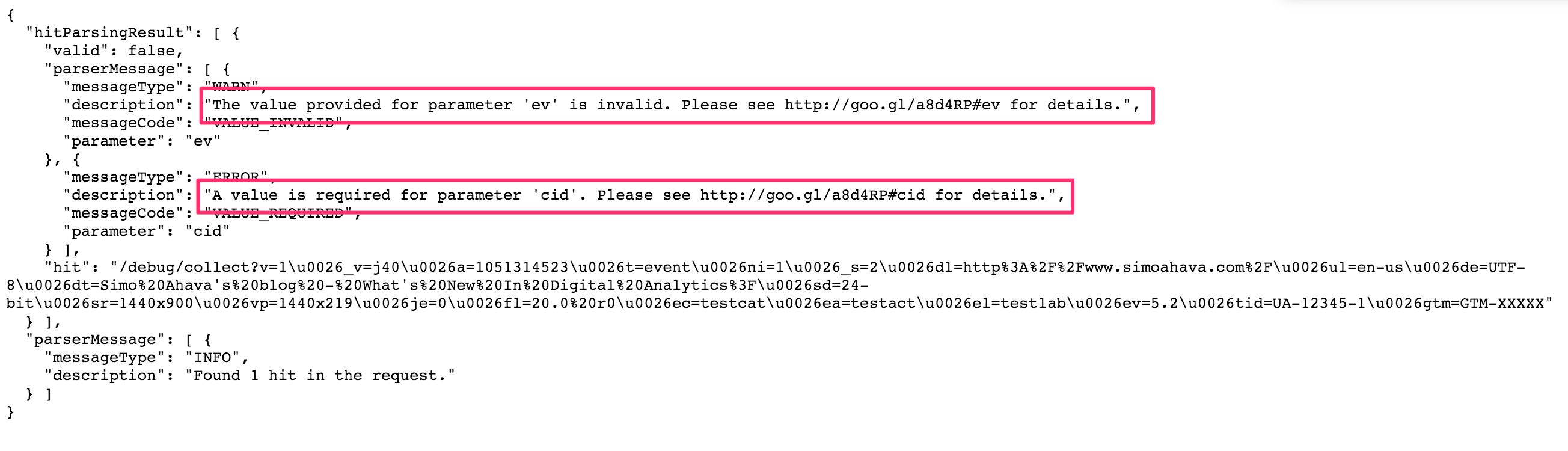
This is a really cool feature for Google Analytics data collection, of which I’ve heard very, very little buzz. It’s a way to debug any and all hits sent to the Google Analytics endpoint at https://www.google-analytics.com/collect.

In all simplicity, you just need to copy the entire URL of the HTTP request to your clipboard, paste it into a web browser, and add /debug between the hostname and /collect.

Read More…

GA Snippet and GA (GTM) Tag on the Same Page

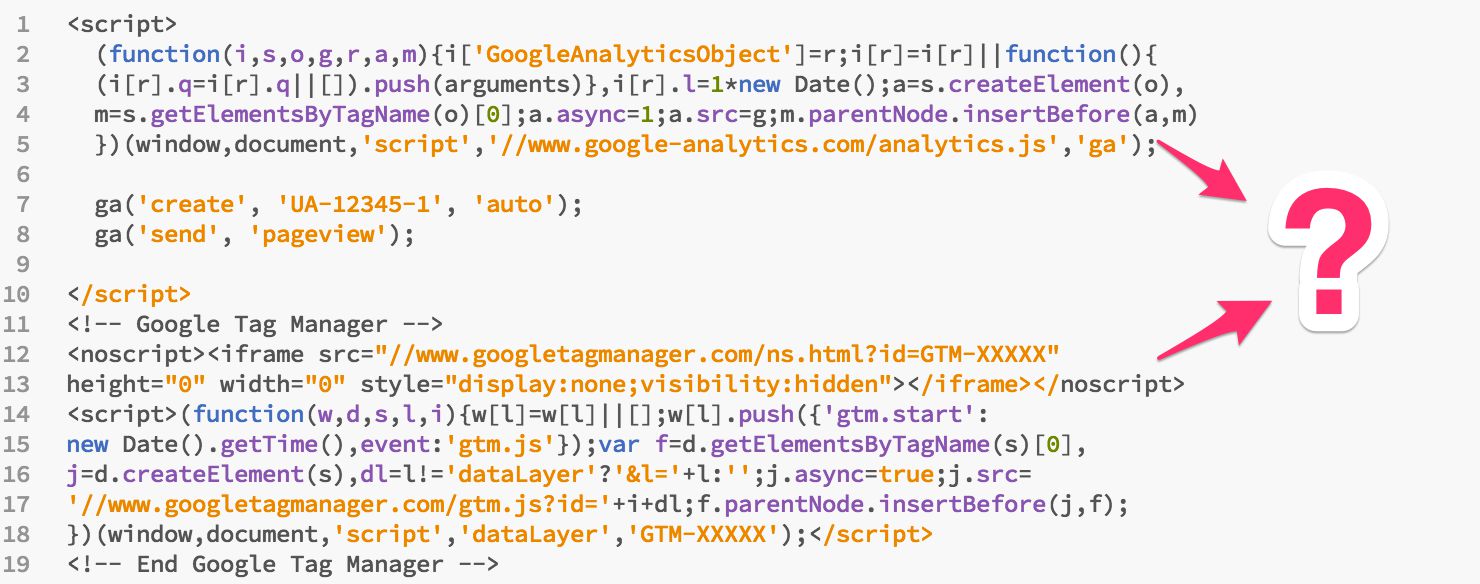
In this article, I’m going to tackle one of the most frequently asked questions out there:

Can you run Google Analytics using the snippet AND using a Google Tag Manager Tag on the same page?

There are many facets to this query, so I’ll try to tackle as many of them as I possibly can.

First, a terminology rant. You hear lots of talk about “on-page” and “inline” Google Analytics tracking, as that’s what’s used to describe the non-GTM way of tracking Google Analytics. Well, all the power to you, but I think they’re just adding to the confusion. GTM is just as “on-page” and “inline” as GA’s own snippet, as both are based on injecting an asynchronous HTTP request that downloads the respective library.

Read More…

Cookie Settings and Subdomain Tracking in Universal Analytics

Welcome back my friends (to the show that never ends)! It’s been a couple of weeks since my last barrage of articles, and I think the time is ripe to do some testing!

First things first, here’s a picture of me shovelling snow:

And now back to the topic at hand.

One of the things that seems to be a hot topic in Universal Analytics is cross-domain tracking. I’ve never really tackled the beast head-on, since there’s such a wealth of excellent articles about it out there. However, I have taken a plunge into the deep end with some specific stuff, such as iframe and subdomain tracking.

Read More…

Track Dynamically Loaded YouTube Videos in Google Tag Manager

Tracking YouTube videos in Google Tag Manager is one of the more useful things you can do in terms of tracking. YouTube has a wonderful API that you can tap into and convert the detected events into dataLayer messages.

There are some really good solutions out there for tracking YouTube videos in GTM:

Both do a great job of tracking videos that have been loaded with the page. However, both have difficulties with tracking dynamically loaded videos. That means videos which are loaded lazily, or in pop-ups, or when some content link is clicked.

Read More…

Firing a Single Tag Multiple Times in GTM

There might be many reasons you’d want to fire a single Tag multiple times in Google Tag Manager. The most common one is when you want to deploy multiples of a single tracking point on the web. Perhaps you have a roll-up account you want to send the hits to, in addition to the site-specific tracking property.

Quite a while ago, I gave a solution for this with a specific focus on Google Analytics Tags. It leveraged the hitCallback feature of the Universal Analytics library by increasing a global counter each time a Tag had fired. This solution had a number of drawbacks: being GA-specific, polluting the global namespace, and requiring a unique setup for every single Tag you wanted to fire.

Read More…

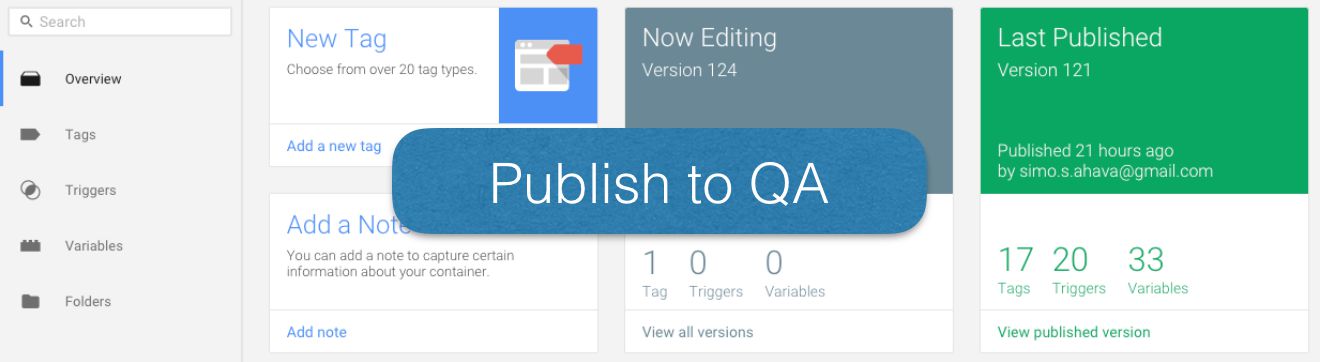
Better QA With Google Tag Manager Environments

Google Tag Manager, our favorite free tag management solution, has always struggled with its enterprise-worthiness. There are many features still lacking, most of which have to do with working in multi-user environments. Now, grab the last word of that sentence (see what I did there), and hug it tightly, for GTM just introduced a new, enterprise-friendly feature: Environments.

These Environments are actually browser cookies, which you use to link a Google Tag Manager container state with the browser of the user who needs to or wants to view that particular state. In other words, if you have a QA (quality assurance) process, as you should have, or if you do most of your testing on a staging server, as you should do, you can create an Environment in GTM, after which you can publish container versions (even the draft) into that particular Environment alone.

Read More…