Google Analytics for Mobile Apps Getting Shut Down

If you’re a user of the free version of Google Analytics, and if you have a free Google Analytics property collecting hits exclusively from the Google Analytics Services SDK (Android or iOS), you might have recently received an email that looks like this (emphasis mine):
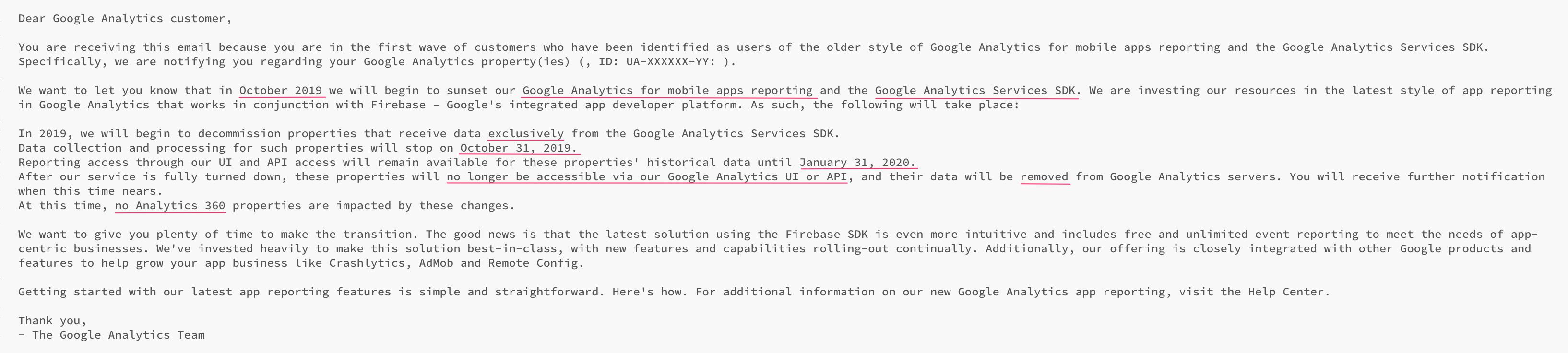
In a nutshell, Google is now starting the process of deprecating the “legacy” Google Analytics for Mobile Apps. This covers all data collection SDKs that do not have the word “Firebase” in them. As such, also the “Google Analytics” tags in Google Tag Manager for mobile apps will be impacted.

Read More…
Persist Google Tag Manager's DataLayer Across Pages

UPDATE 4 June 2020: Instead of copying the Custom HTML code from the article, please load it from the GitHub Gist instead.

Four years ago, I wrote an article on how to persist GTM’s dataLayer from page to page. Unfortunately, the solution was a bit clumsy, requiring you to give specific commands for the interactions, which made it really unwieldy in the long run. Google Tag Manager still doesn’t offer us a native way to persist the dataLayer array or its internal data model from one page to the other, so I thought it was about time I revisit this idea.

Read More…

Fire GTM Tag Upon Scroll Depth and Time Spent

Over 5 years ago, I wrote an article titled Track Adjusted Bounce Rate In Universal Analytics. It basically explored a number of different methods to tweak the Bounce Rate metric so that it becomes more meaningful in your Google Analytics reports.

Now, writing that article wasn’t necessarily my proudest moment. It’s not because the solution was poor, but rather because I was suggesting it makes sense to tweak a metric. The concept of “adjusted Bounce Rate” sounds like the analyst is fixing a metric to be more beneficial to their cause, rather than fixing the business problem that caused the metric to be poor in the first place.

Read More…

Workspace Mode in GTM Tools

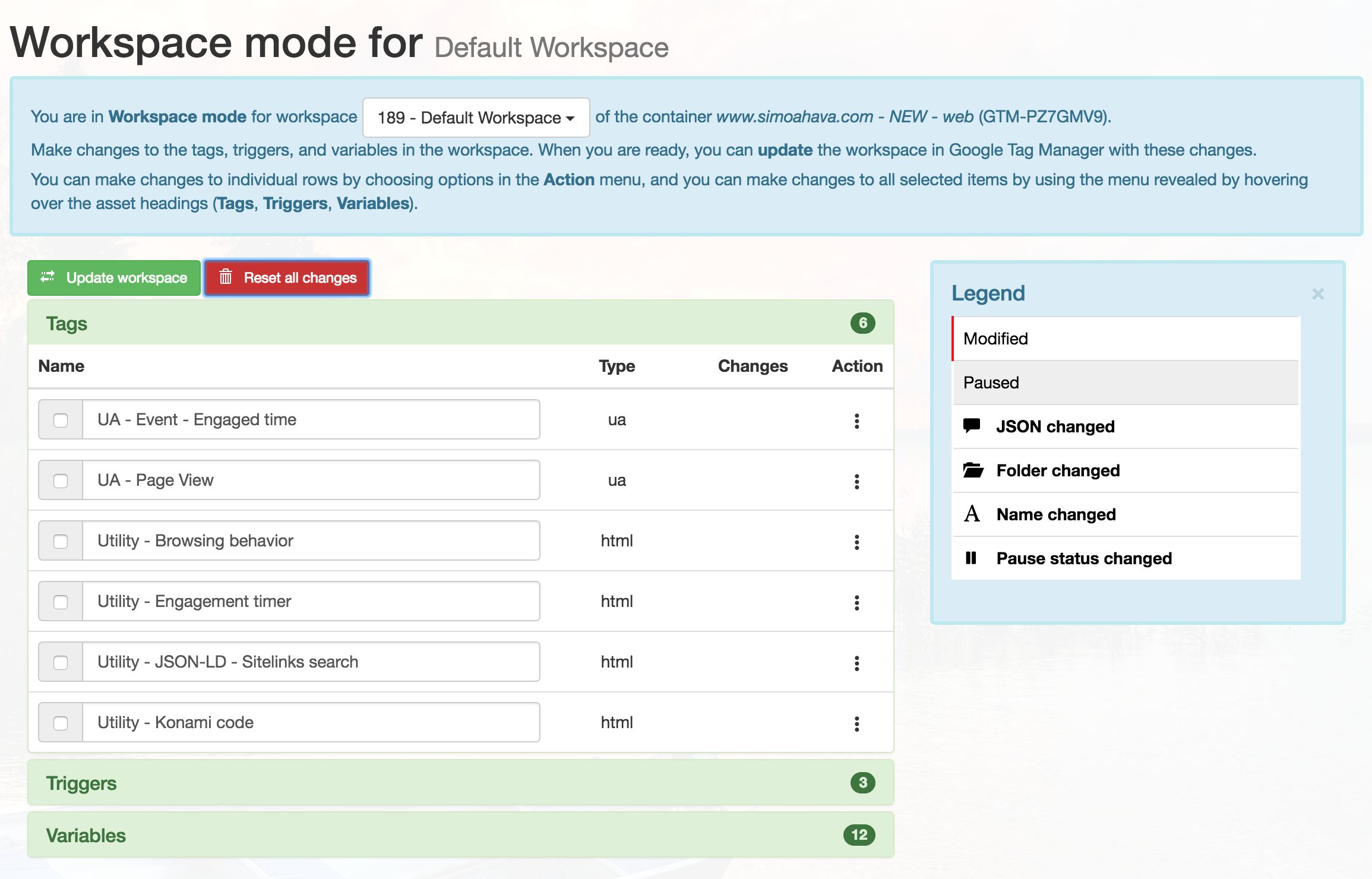
It’s time for a big feature update to my GTM Tools, a free tool for managing your Google Tag Manager containers, tags, triggers, variables, and now: workspaces.

In this article, I’ll quickly go over the main features of Workspace mode. Be sure to check out the updated Release Notes & User Guide.

Introduction

First of all, you can access Workspace mode through the container selection screen, or via the container page:

Read More…

Enhanced Ecommerce Guide for Google Tag Manager

Enhanced Ecommerce is certainly one of the finest reporting user interface features that Google Analytics has to offer. Enhanced Ecommerce, as the name implies, is a set of dimensions, metrics, and reports, which combine to provide you with a fairly complete view into how users are interacting with your products in your webstore. The main downside of Enhanced Ecommerce is, as with all good things, that it’s complicated to implement.

Luckily, there’s Google Tag Manager. Theoretically, you could implement Enhanced Ecommerce through Google Tag Manager without ever adding a single line of functional logic into the codebase of your web site. You could do everything by simply scraping the Document Object Model (DOM). However, as we have hopefully learned over the years - GTM is a tool with which fastidiousness trumps fast.

Read More…

Tracking Cross-Domain Iframes - Upgraded Solution

**Last updated 18 September 2020: Due to how most browsers now have third-party cookie protections in place, this solution will be very ineffective going forwards. You should instead take a look at a cookieless solution.

Some years ago, I wrote a post on how to track cross-domain iframes when using Google Tag Manager and Google Analytics. That solution relied on hitCallback to decorate the iframe, and now that I look back on it, it has its shortcomings.

Read More…

Create and Update Google Analytics Session Timeout Cookie

In Google Analytics, the concept of a session is the key aggregation unit of all the data you work with. It’s so central to all the key metrics you use (Conversion Rate, Bounce Rate, Session Duration, Landing Page), and yet there’s an underlying complexity that I’m pretty certain is unrecognized by many of GA’s users. And yet, since this idea of a session is so focal to GA (to the point of being overbearing), it’s annoying that the browser isn’t privy to any of the sessionization parameters that Google Analytics applies to the hits sent from the browser to its servers.

Read More…

Automatically Reduce Google Analytics Payload Length

Here we are, reunited with customTask. This time, we’ll put this wonderful mechanism to work for a very, very good cause. One of the lesser known “features” of Google Analytics is that when the payload size (the request body that is actually sent to Google Analytics with each request) goes past a certain limit, specifically 8192 bytes, the hit is aborted without warning. This can come as a surprise, because there’s no indication anywhere in Google Analytics that you are missing hits because of this.

Read More…

Allow and Block Advertising Features in Google Analytics

After writing yet another customTask article on how to respect client-side opt-out using Google Analytics and Google Tag Manager, the analytics.js core library was enhanced with a new field that makes it all a lot easier to do. The field, allowAdFeatures, lets you either allow or block the request to DoubleClick that is initiated when Advertising Features have been enabled.

In this very short article, I’ll quickly show you what the field does and why it’s useful.

Read More…

13 Useful Custom Dimensions for Google Analytics

One of my favorite (and most popular) articles in my blog is Improve Data Collection With Four Custom Dimensions. In that article, I show how you can improve the quality and granularity of your Google Analytics data set with just four Custom Dimensions. The reason I chose the four dimensions (Hit Timestamp, Session ID, Client ID, and User ID) is because I firmly believe that they should be in Google Analytics’ standard set of dimensions, but for some inexplicable reason they aren’t.

Read More…